
How to Add Video to a Shopify Product Page (Keep It Fast)
By Foxr Team · Foxr · · 9 min read
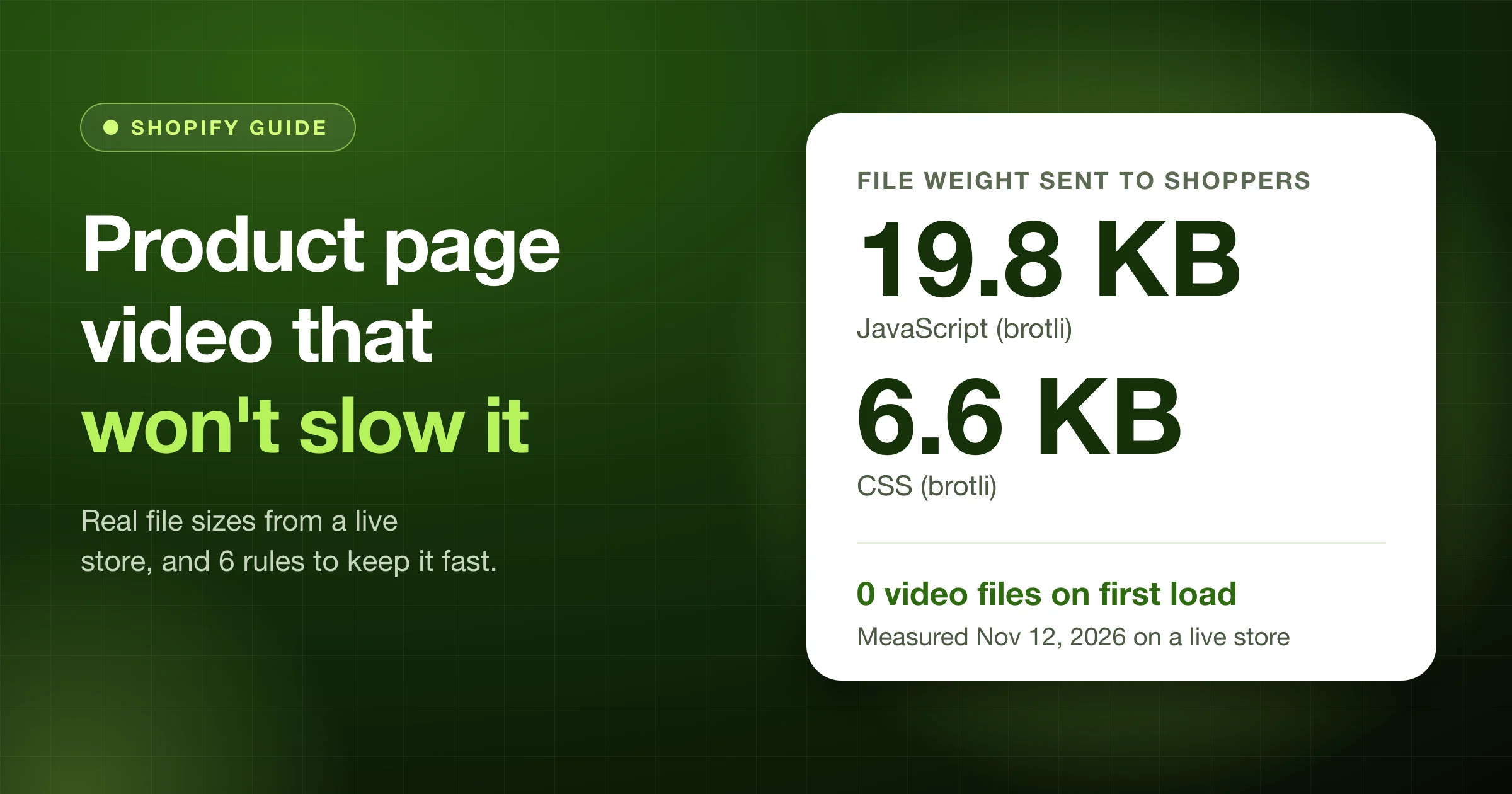
Video slows a product page when the page loads the whole video before the shopper asks for it. To avoid that, load video only on tap, keep the code small, and place the strip below the main photo. Foxr Shoppable Videos & UGC is built that way: its own files are about 26 KB on the wire, and no video file loads until a shopper opens one.
We measured that on a live store on November 12, 2026. Below are the numbers, Google's speed targets, and 8 rules you can follow today.
Key takeaways
- Widget code: 19.8 KB of JavaScript and 6.6 KB of CSS after brotli compression. That's 68.5 KB and 39.6 KB before compression.
- The script uses
defer. It doesn't block the page from drawing. - 0
<video>tags were in the first HTML of the store's home page. Videos are loaded when opened. - Google's targets: LCP under 2.5 seconds, INP at or under 200 milliseconds, CLS at or under 0.1, measured at the 75th percentile of visits.
- Your clip files matter most. Short, compressed, vertical clips are cheaper than long ones.
- Test before and after. Your theme and other apps change the result.
Words used in this guide
A few app words show up in the speed settings below.
| Term | What it means |
|---|---|
| Widget | One arrangement of your clips on the store, with its own layout and design. Example: a row of story circles. |
| UGC widget block | The block you add in Shopify's theme editor to show one widget. |
| App embed | FOXR - Shoppable Video, the on/off switch in your theme. Widgets stay hidden until it's on. |
| Player | The viewer that opens when a shopper taps a clip, with the tagged product at the bottom. |
| Poster | The still image a clip shows before it plays. |
| Preview video | A short silent video that plays on a thumbnail, if you turn it on. |
| Playback mode | Performance (smaller videos, faster start) or Quality (your original file). Set in Settings → Videos. |
What we measured
We loaded the home page of Spell by Smokeshow, a store that runs Foxr Shoppable Videos & UGC, and downloaded the app's two files the way a browser would, asking for compressed versions.
| File | Before compression | Sent to the browser (brotli) |
|---|---|---|
widget.js | 68,526 bytes | 19,816 bytes |
widget.css | 39,565 bytes | 6,561 bytes |
Notes on how to read this:
- The script tag has
defer, so the browser keeps drawing the page while it downloads. - The page's first HTML had no
<video>element. The widget shows poster images first. A video file loads when a shopper opens a clip. - These are the widget's own files. Your clips are extra, and their size depends on you.
- We did this with
curl, not a lab test. It tells you the weight of the code, not the final score of your page. Other apps and your theme change that score.
4 ways to put video on a product page
| Way | Speed risk | Shopping features |
|---|---|---|
| Shopify product media (upload to the product's gallery). Shopify takes MP4, MOV, and WEBM up to 1 GB and 10 minutes, and serves them as MP4 or HLS (Shopify Help) | You control the file size. Big files are slow. | None beyond the product page itself |
| YouTube or Vimeo link (Shopify allows these as product media) | The player comes from another site, so check it with PageSpeed Insights | None |
| Files plus custom Liquid | Depends on your code | Whatever you build |
| A shoppable video widget (Foxr Shoppable Videos & UGC) | Small code, and video loads on tap (measured above) | Product card, quick add, analytics |
How to choose:
- One product video for one product? Use Shopify's own product media.
- Many short clips, customer clips, or clips shared across pages? Use the widget.
- You can use both. A product video in the gallery, and a clip strip lower down.
What Google asks for
Google's Core Web Vitals have three targets. Each should be met for 75% of page loads, on both mobile and desktop (web.dev):
| Metric | Plain meaning | Good target |
|---|---|---|
| LCP (Largest Contentful Paint) | How fast the biggest thing on screen shows up | 2.5 seconds or less |
| INP (Interaction to Next Paint) | How fast the page reacts to a tap | 200 milliseconds or less |
| CLS (Cumulative Layout Shift) | How much the page jumps while loading | 0.1 or less |
On a product page, the biggest thing on screen is usually the main product photo. So the main rule is simple: don't let your video block that photo.
8 rules to keep a product page fast
1. Put the video strip below the main photo
Place the Foxr block near the description or under the buy buttons. Not above the product photo. The photo is usually what LCP measures, and a video strip above it can push it down.
This is advice from how LCP works, not a measured result for your theme. Test it.
2. Keep the default "Performance" playback mode
In Settings → Videos, Playback mode has two options:
- Performance (default): plays a smaller version of each video, up to 720p. Videos start sooner and use less data, especially on phones.
- Quality: plays the original file you uploaded. Even then, shoppers with Data Saver on or a very slow connection get the smaller file.
Choose Quality only if fine detail matters, like jewelry close-ups. For clips filmed on a phone, the docs say the difference is usually small on a phone screen.
Note: this setting only affects videos once a shopper opens them. It doesn't change how fast your page loads.
3. Leave thumbnail previews off, or limit them
Preview videos (on the Carousel, Grid, Stories, and Product page tabs) play silent clips on the thumbnails. They use a small, quick version of each video. The default is Off for Stories, Carousel, and Grid, and Featured clip only for Product page.
Fewer previews mean fewer videos loading. If speed is your first goal, pick Featured clip only or Off.
4. Don't use "Play inside the card" on a heavy page
On Carousel and Grid, Play inside the card plays the video right in its card. Only one plays at a time, but it puts video on the page itself. The full player (the default) only loads the clip being watched and the ones next to it.
5. Compress your clips before you upload
- Keep clips short. 15 to 30 seconds is a good start. That's our rule of thumb, not a tested number.
- Foxr's own upload limit is 250 MB per video (Shopify's native limit is 1 GB and 10 minutes). You almost never need anything near either.
- Export vertical 9:16 for phone viewing. A landscape clip gets cropped in the tall player anyway, unless you turn off "Crop to fit vertical aspect ratio".
6. Show only as many clips as you need
A Product page strip shows 3 clips at a time by default (up to 6). The widget can hold 24 clips, but the player only loads the current clip and its neighbors. Still, a tight strip of 3 to 6 good clips beats 24 mediocre ones for both speed and sales.
7. Use one widget, not five
Each widget block on a page adds markup. A single Product page widget can serve your whole catalog. See Reels on product pages for how.
8. Keep it from jumping
CLS measures layout jumps. We didn't test this on your theme, so check it yourself. Open a product page on your phone, reload, and watch whether anything moves when the strip appears. If it does, change Space above the widget and Space below the widget on the layout's tab, and look at your theme's section spacing.
How to test it yourself
- Pick one product page. Note its mobile score in Google's PageSpeed Insights (pagespeed.web.dev) before you add the widget.
- Add the widget. Run the same test 3 times and take the middle result. Scores wobble from run to run.
- Compare LCP, INP, and CLS to the targets above.
- If LCP got worse, move the strip lower on the page, then test again.
- Check real-user data if your store has enough visits. PageSpeed Insights shows it when available. It's closer to what shoppers feel than a lab score.
What loads when
| Moment | What loads |
|---|---|
| Page loads | The widget script (deferred) and CSS, and poster images as they scroll near |
| Shopper scrolls to the strip | Poster images for the visible clips |
| A preview is on | A small silent version of the visible clips |
| Shopper taps a clip | The current clip, plus the ones either side of it |
Also, the product's price on the card appears a moment after the card, because it's read after the video opens. Stock is checked after the video opens, too, so a sold-out card can show for a moment before it hides or says "Sold out".
What can still make a page slow
- Big clip files. The app can't make a 200 MB source file small.
- A heavy theme or too many apps. Video is one piece of a page's weight.
- A huge hero image above the product photo.
- Embedding the widget in many places. One widget in one place is cheaper than the same widget three times.
Limits of our measurement
- One store, one page, one day.
- We measured file sizes, not Lighthouse scores or real-user data.
- We didn't test other apps. This article is only about the Foxr widget.
FAQ
Does video hurt SEO?
It can if it slows the page enough to miss Google's targets. Keeping video off the first load, like the rules above, avoids that. Also, Google says a product page with a video on it isn't a "watch page", so don't expect video search results just from adding clips. Watch pages are pages where the video is the main reason to visit.
Is lazy loading video good?
For videos below the fold or behind a tap, yes. They don't need to load until someone wants them.
How big can my video files be?
In Foxr Shoppable Videos & UGC, up to 250 MB each. Shopify's own product media takes up to 1 GB and 10 minutes. Smaller is better either way. Compress before upload.
Should I autoplay video on product pages?
The widget plays silent previews if you turn them on. A tap opens the full player, with sound by default unless you set it to start muted. Phones in Low Power Mode may block autoplaying previews and show the poster image instead.
Does the app add schema for the videos?
Yes. Settings → AEO & GEO has Add video structured data, on by default. It describes each video so search engines can read it. It doesn't make Google promise video results.
Next step: test one product page
Choose your best seller. Run PageSpeed Insights, add the widget below the main photo, and run it again. If your score holds, add it to your next product.
Foxr Shoppable Videos & UGC is free on the Shopify App Store.
File sizes measured November 12, 2026. Other facts checked against the app's documentation and listing the same day.