NEWFoxr ‑ Cart Drawer & Upsells is now free on the Shopify App Store — a slide cart with upsells, rewards, and a sticky add to cart bar.
Free on the Shopify App Store

The Shopify cart drawer that upsells, rewards, and checks out faster.

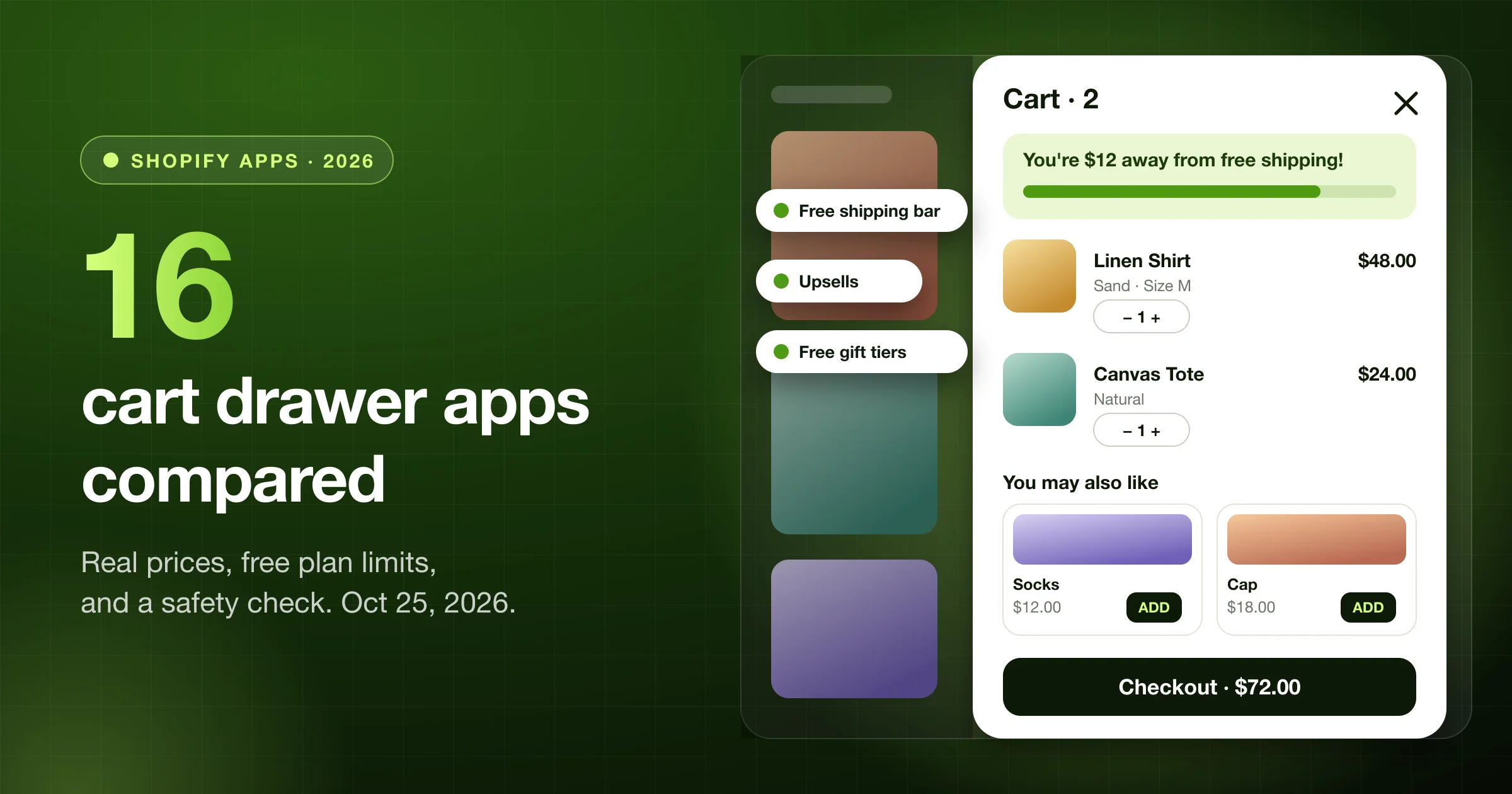
A slide cart that opens on add to cart and shows upsells, a free shipping bar, free gifts, and buy more save more offers. Includes a sticky add to cart bar.

Free · Upsells · Free shipping bar · Sticky add to cart · No code

FreeOn the Shopify App Store
6Reward tiers: free shipping, discount, free gift
4Upsell layouts, picked by AI or your rules
A/BTest cart designs, keep up to 25
Shopify App Store listing

Foxr ‑ Cart Drawer & Upsells at a glance.

App nameFoxr ‑ Cart Drawer & Upsells
PriceFree
CategoryCart customization
Works withShopify Checkout, Shopify Admin, Bundle apps, Judge.me and Loox, Subscriptions
LanguagesEnglish
LaunchedOctober 22, 2026
DeveloperFOXR APP (Foxr), United Kingdom
Listingapps.shopify.com/foxr-cart-drawer-upsell
Where it works

A cart that sells while it checks out. One drawer.

Replace your theme cart with a slide cart drawer, then add rewards, upsells, and checkout helpers one module at a time.

01

Slide cart drawer

Swap your theme cart for a drawer that slides in on add to cart. Shoppers see their items, a rewards bar, upsells, and the checkout button without leaving the page.

  • Opens on add to cart, or shows a pop-up message instead
  • Slides in from the right or the left (left suits right-to-left languages)
  • 440 to 850 px wide on desktop, full width on phones
  • Checkout button stays pinned to the bottom of the drawer
02

Rewards and upsells

Show how close the cart is to free shipping, a discount, or a free gift. Then offer products that go with the order. The discounts apply at checkout through automatic Shopify discounts the app creates.

  • Up to six reward tiers, counted by cart total or item count
  • Upsells picked by AI, Shopify’s complementary products, or your own rules
  • Buy more, save more tiers under each item
  • Discounted upsell offers with their own rules
03

Checkout helpers

Put the extras shoppers look for before they pay right in the cart, so they do not have to leave it to find a code or write a gift note.

  • Discount code field, or a list of coupons shoppers tap to apply
  • Order note box, gift wrap, and shipping protection add-ons
  • Terms checkbox and a Continue shopping link
  • Shop Pay, Apple Pay, and other express buttons (needs a theme snippet)
Features

Everything you can put in the cart.

Slide cart that opens on add to cart

Replaces your theme cart with a drawer that slides in from the right or left. 440 to 850 px wide on desktop, full width on phones, with a checkout button that stays in reach.

Rewards bar: shipping, discounts, and gifts

Up to six tiers, counted by cart total or item count. Each tier gives a shipping discount, an order discount, or a free gift. Five bar templates, different tiers per market, customer tag exclusions, and filters by product or collection.

Free gift with purchase

Add the gift to the cart automatically, or let shoppers choose from a gift picker with four layouts. For automatic gifts, a card can show the gift shoppers are working toward.

Cart upsells and cross-sells

Recommend products with AI, Shopify’s complementary products, or your own rules based on cart value, product, collection, variant, customer tag, or market. Four layouts.

Upsells with a discount

Offer a product at a lower price inside the cart, with its own rules for who sees it. Add a second, separate set of discounted offers as a widget.

Buy more, save more

Show tiers like “Buy 2 save 10%” under qualifying items, as buttons or bars. Up to 10 offers, percent or amount off per unit. A tap sets the quantity.

Countdown timers and announcements

A message bar at the top of the drawer: one message, rotating messages, or a scrolling line, with an optional countdown timer.

Add-ons and shipping protection

One-tap extras: shipping protection with price tiers by cart value, or any product as an add-on, such as gift wrap or a warranty.

Order notes and terms checkbox

An “Add special instructions” box saved as the order note, plus a terms and conditions checkbox shoppers tick before checkout.

Discount codes in the cart

A code field with an Apply button, or a list of coupons shoppers tap to apply, so they see the saving before checkout.

Savings shown in the cart

Show applied discounts, total savings, savings on each item, and compare-at price savings, so shoppers see what they are saving.

Cart item layouts

Four line layouts, plus unit prices, a variant picker so shoppers can change size or colour in the cart, and a savings line on each item.

Empty cart that keeps shoppers browsing

Three layouts, a button back to your store, and a shelf of recommended products for when the cart has nothing in it.

Guarantee, banner, and delivery blocks

Add a guarantee strip with up to six icon rows, a clickable promo banner with its own phone image, or a delivery estimate with a cut-off time and processing days per market.

Payment badges and pay-later messages

Show the payment methods you accept, and messages like “Or 4 installments of $12.50 with Klarna” (Afterpay, Klarna, PayPal, or Sezzle). The message is information only; shoppers pay at checkout.

Express checkout buttons

Show Shop Pay, Apple Pay, Google Pay, or PayPal under the checkout button. Needs a short snippet in your theme.

Checkout button and sticky footer

Checkout button text can show the cart total and savings. The footer stays pinned, and you can send shoppers to the cart page instead of checkout.

Subscription upgrades

A button that switches an item to a subscription right in the cart, for products that have subscription plans.

Share cart link and add-to-cart pop-up

A share icon copies a link to the cart. Show an “Added to Cart” pop-up instead of, or as well as, opening the drawer.

Sticky add to cart and floating cart button

An add to cart bar that stays on screen on product pages, plus an optional floating cart button on any page.

Design it with no code

Colour templates, your logo or a title, buttons, and layout in a live preview. Add your own HTML at eight spots in the drawer and your own CSS for anything else.

Drafts, A/B tests, and translations

Keep up to 25 cart designs, preview by market, import a settings file, publish a draft when it is ready, start an A/B test, and translate every text for your store’s other languages.

Cart analytics

The app home shows cart views, completed checkouts, and upsell revenue, and an Analytics page shows how the drawer is performing.

Works with your theme and apps

Sends Klaviyo’s Added to Cart event, shows Judge.me, Loox, or Rivyo star ratings, and connects to GoKwik, Razorpay, ShopFlo, and Shiprocket. Custom selectors help the drawer fit unusual themes.

Widgets

Cart blocks you switch on and off.

Rewards bar

Progress toward free shipping, a discount, or a free gift.

Free gift picker

Shoppers choose their gift once they unlock the tier.

Cart upsells

“You may also like” products shoppers add with one tap.

Discounted upsells

Special offers at a lower price, shown by rule.

Volume discount

Buy 2 save 10%, buy 3 save 15%, under each item.

Announcement bar

A message, rotating messages, or a scrolling line with a timer.

Add-ons

Shipping protection, gift wrap, or a warranty with a toggle.

Discount code field

Enter a code or tap a coupon, right in the cart.

Guarantee strip

Icon rows like “30-day free returns” and “Secure checkout”.

Promo banner

A clickable image or GIF with an optional phone version.

Delivery estimate

“Order in 2h 14m, arrives by Thu” with a cut-off time.

Sticky add to cart

A product page bar that keeps the buy button in view.

Full feature list

Every part of the drawer, in one app.

Turn on only what you need. Each module has its own switch in the cart editor, and the live preview shows the result before you save.

  • Slide cart drawer
  • Free shipping bar
  • Free gift with purchase
  • Free gift picker
  • Tiered rewards
  • Loyalty rewards
  • Rewards by market
  • Cart upsells
  • Cross-sells
  • AI product recommendations
  • Upsells with discount
  • Buy more, save more
  • Countdown timer
  • Announcement bar
  • Discount code field
  • Coupon list
  • Applied discounts
  • Total savings
  • Gift wrap
  • Shipping protection
  • Order notes
  • Donations
  • Terms checkbox
  • Shipping estimator
  • Delivery estimate
  • Guarantee strip
  • Promo banner
  • Payment badges
  • Split payment messages
  • Express checkout buttons
  • Variant picker in cart
  • Unit prices
  • Empty cart recommendations
  • Sticky add to cart
  • Floating cart button
  • Share cart link
  • Subscription upgrades
  • Klaviyo
  • Judge.me, Loox, and Rivyo reviews
  • Custom CSS and HTML
  • Right-to-left languages
  • Translations
  • A/B tests
  • Cart analytics
How it works

Four steps from install to a live cart drawer.

01

Install free from the Shopify App Store

Add Foxr ‑ Cart Drawer & Upsells to your store.

02

Turn on the app embed

In the theme editor, switch on the Foxr Cart Drawer app embed and save. The drawer only shows when it is on.

03

Design the cart

Open the cart editor, then switch on rewards, upsells, announcements, and the other parts you want. The preview updates as you type.

04

Save, check, and test

Save, add a product on your store to check the drawer, then start an A/B test to see which design works best.

Comparison

Why merchants pick Foxr over a basic theme cart

FoxrBasic theme cart
Offers in the cartUpsells, cross-sells, buy more save more, and a free gift in one drawer.A list of items and a checkout button.
Free shippingA rewards bar with up to six tiers that also handles discounts and free gifts.A banner that does not track the cart, or nothing at all.
Who sees whatUpsell rules by cart value, product, collection, customer tag, and market.The same cart for every shopper.
Testing and changesLive preview, drafts, A/B tests, and up to 25 saved cart designs.Edit theme code and check it on the live store.
FAQ

Questions merchants ask before they install.

What is a cart drawer on Shopify?

A cart drawer, also called a slide cart or side cart, is a cart that slides in from the side of the page when a shopper adds a product. They can review items, add extras, and check out without leaving the page they are on.

Is Foxr ‑ Cart Drawer & Upsells free?

Yes. Foxr ‑ Cart Drawer & Upsells is listed as free on the Shopify App Store.

How do the free shipping bar and free gift work?

Turn on Rewards and set up to six tiers. Each tier unlocks at a cart total or an item count and gives free shipping, a percent or fixed discount, or a free gift the shopper picks. The app applies them at checkout with two automatic discounts it creates in Shopify.

What kinds of upsells can I show?

Full-price upsells and discounted upsells. Products can come from AI, Shopify’s complementary products (set in Search & Discovery), or your own rules, such as cart value, a product or collection in the cart, a customer tag, or the market.

Do I need to edit theme code?

Not for the drawer. You turn on the Foxr Cart Drawer app embed in the theme editor and design the cart in the app. The one exception is express checkout buttons such as Shop Pay and Apple Pay, which need a short snippet added to your theme.

Does it include a sticky add to cart bar?

Yes. A sticky add to cart bar stays on screen on product pages. There is also a floating cart button you can place on the page.

Can I A/B test my cart?

Yes. You can keep up to 25 cart designs, publish a draft when it is ready, and start an A/B test between designs.

Does it work with review, email, and subscription apps?

It sends Klaviyo’s Added to Cart event, shows Judge.me, Loox, or Rivyo star ratings in the drawer, and can show a button that switches an item to a subscription when your products have subscription plans.

Guides

Learn more before you install.

Install Foxr

Turn your cart into a selling space

Install Foxr ‑ Cart Drawer & Upsells free from the Shopify App Store, turn on the app embed, and switch on a rewards bar and upsells today.