
Best UGC Platforms for Shopify: 12 Apps Compared (2026)
By Foxr Team · Foxr · Updated · 20 min read
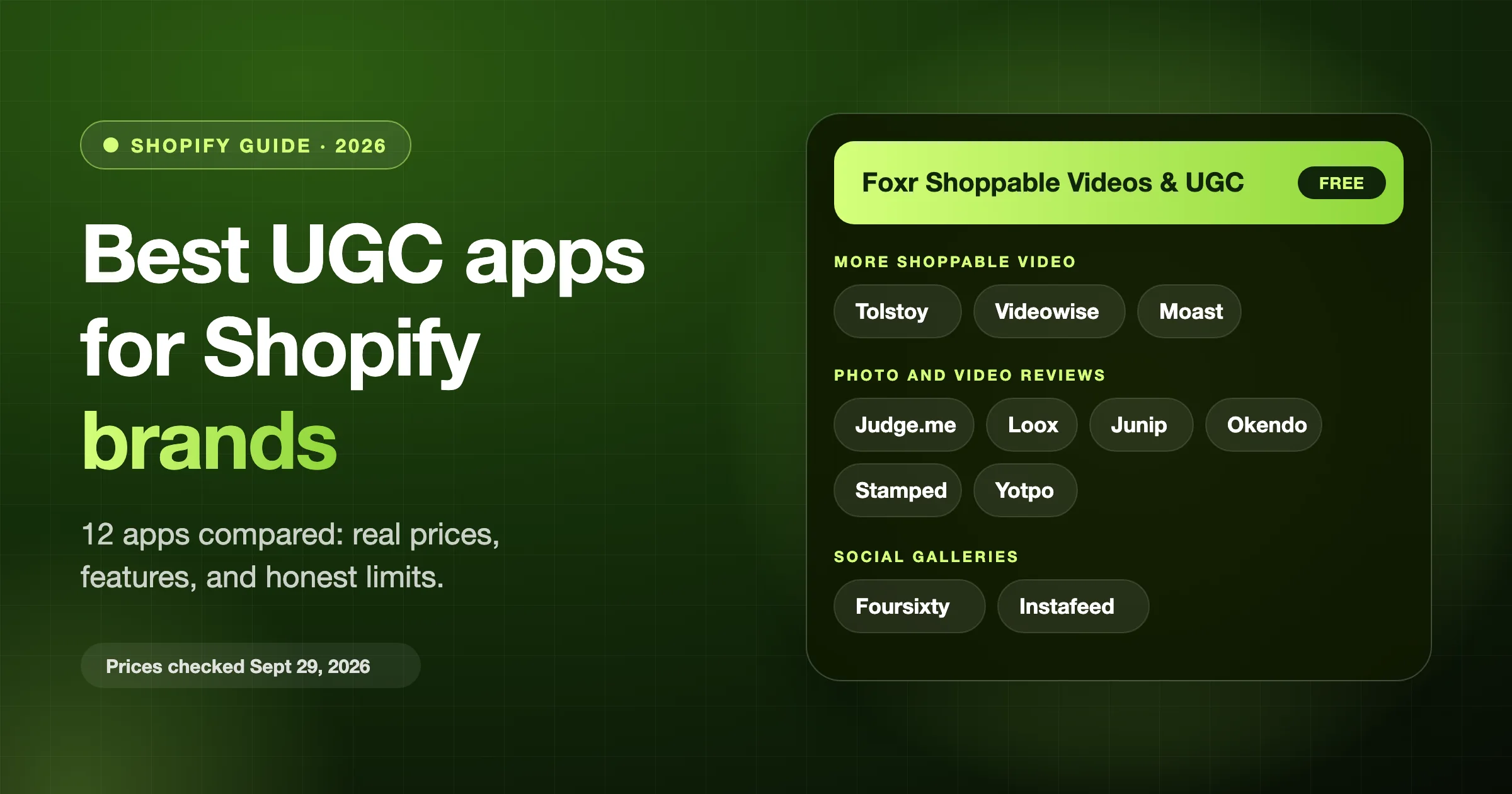
The best UGC platforms for Shopify are apps that put your customers' videos, photos, and reviews on your store. UGC means user-generated content. We compared 12 Shopify apps in three groups, with prices and ratings from the Shopify App Store on October 11, 2026.
- Shoppable video: Foxr Shoppable Videos & UGC, Tolstoy, Videowise, Moast
- Photo and video reviews: Judge.me, Loox, Junip, Okendo, Stamped, Yotpo
- Social galleries: Foursixty, Instafeed
Short answer: most stores need one video app and one review app. For a free start, use Foxr Shoppable Videos & UGC (our app) with Judge.me. It can even show Judge.me's star ratings inside your videos.
Want to hire creators to film new videos for you? That's a creator marketplace, and this list doesn't cover those.
Full disclosure: We make Foxr Shoppable Videos & UGC, so it goes first. It launched on September 25, 2026, and had 7 App Store reviews (5.0) on October 11, 2026. We list its limits too.
Key takeaways
- Free plans aren't equal. Foxr Shoppable Videos & UGC and Moast are free for video on your store. Videowise's free plan covers the Shop app and TikTok Shop, not your site. Tolstoy's free plan is a 30-day trial.
- Review apps cost more as you grow. At 1,500 orders a month, Loox's video plan costs $249.99 and Stamped costs $199. Judge.me and Junip stay flat.
- Code weight varies. On the live stores we checked, Foxr Shoppable Videos & UGC added about 21 KB of code. Foursixty and Instafeed added about 43 to 45 KB.
- Get permission in writing before you show a customer's photo or video, and keep that record yourself.
- Test before you trust the lift. Foxr Shoppable Videos & UGC needs 500 views per version before it calls an A/B test winner.
Quick picks
| Your goal | Best pick | Price a month |
|---|---|---|
| Free shoppable video | Foxr Shoppable Videos & UGC (ours) or Moast | Free |
| Reels and TikTok videos | Tolstoy | From $12 |
| Shop app and TikTok Shop | Videowise | Free, Pro $9 |
| Free photo and video reviews | Judge.me | Free |
| Photo-first review requests | Loox | Free, video $49.99 |
| Reviews plus loyalty | Stamped | Reviews $23, loyalty $299 |
| Instagram galleries | Foursixty | From $90 (TikTok $300) |
| A simple Instagram feed | Instafeed | Free |
Prices are from each app's Shopify App Store listing on October 11, 2026. They change, so check the links before you install. Ratings are in each app's section.
1. Foxr Shoppable Videos & UGC: free shoppable video (our app)
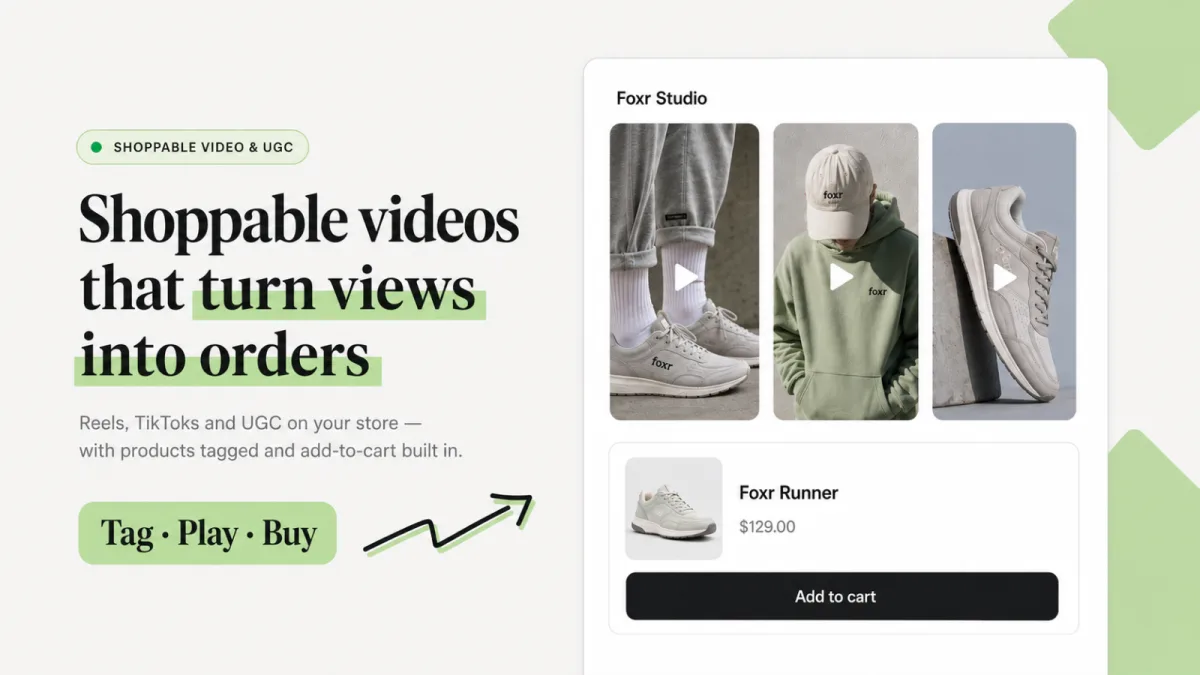
Foxr Shoppable Videos & UGC turns your product videos and customer clips into shoppable videos. Shoppers tap a clip, pick a size or color, and add to cart without leaving the video.
Quick facts:
- Price: Free
- Launched: September 25, 2026. It had 5.0 stars from 7 reviews on October 11, 2026.
- Setup: no code. You add a "UGC widget" block and switch on the "FOXR - Shoppable Video" app embed in Shopify's theme editor. Every click is in How to Add Shoppable Videos to Shopify.
Five layouts
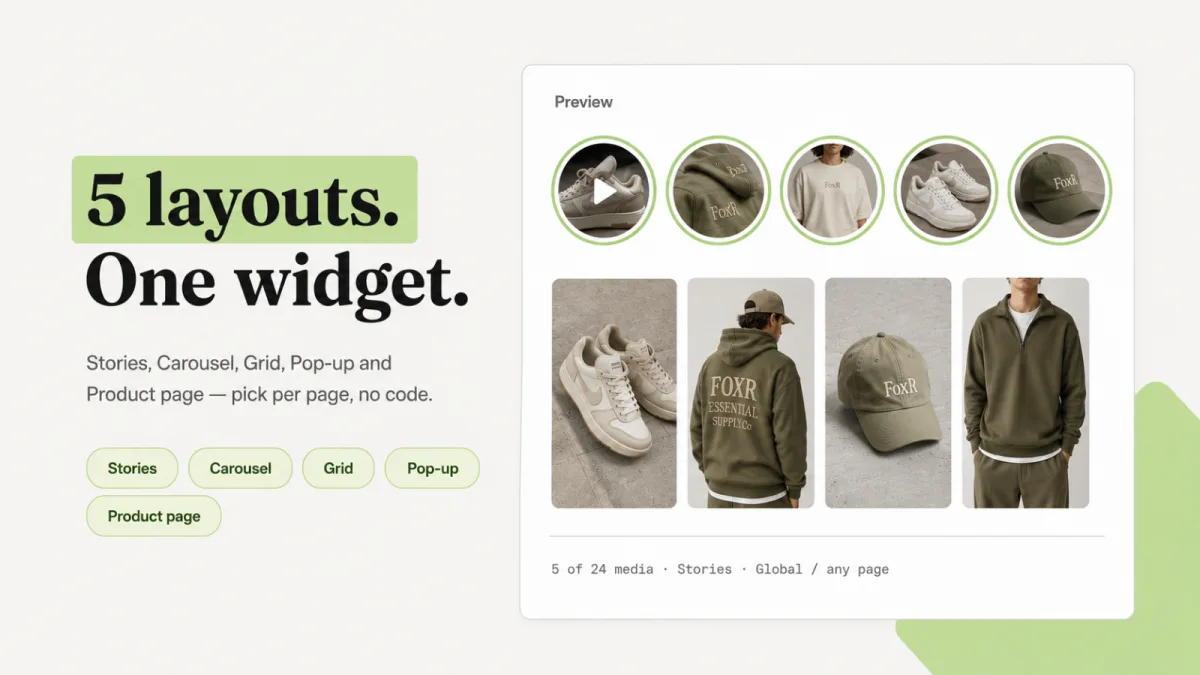
- Stories: round thumbnails with a colored ring. Good at the top of a home page.
- Carousel: a row of tall 9:16 cards with arrows. Spell by Smokeshow, an Indian clothing brand, runs one with try-on clips on its home page (checked October 11, 2026).
- Grid: 5 tiles per row on desktop, 3 on tablets, and 2 on phones.
- Pop up: a "Bubble" or "Card" in a corner. It appears after 5 seconds by default.
- Product page: shows only the clips tagged with the product being viewed, so one widget covers every product page, up to 24 clips across your whole catalog.
Selling inside the video
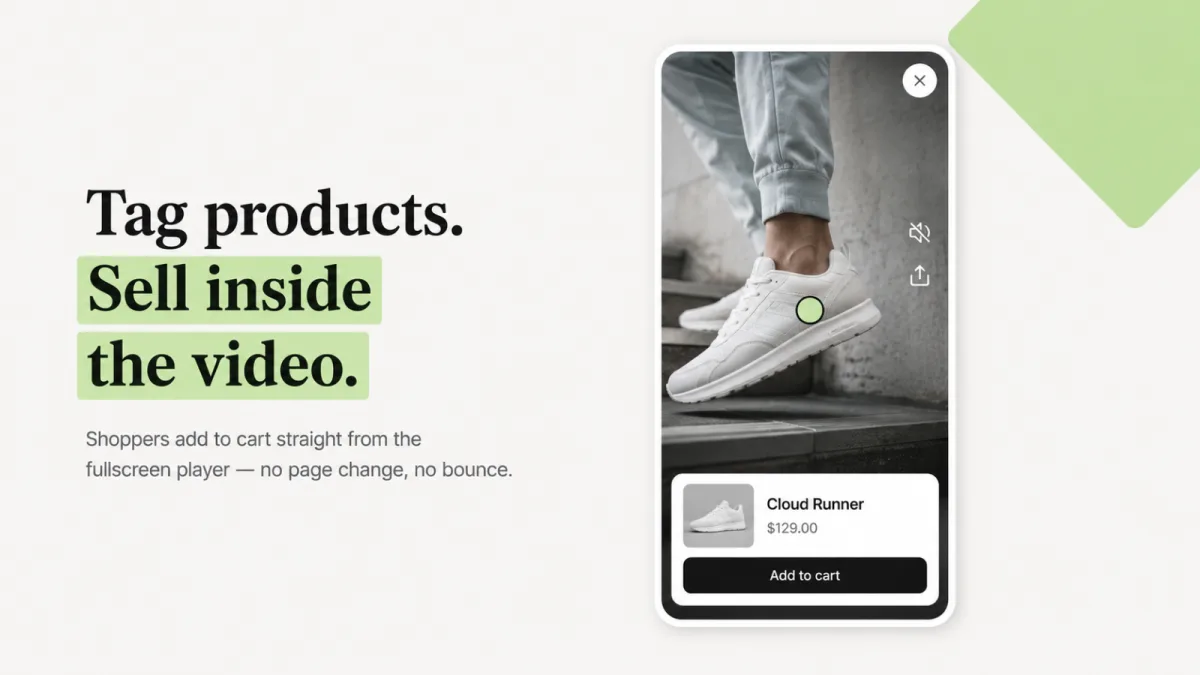
- The player: tapping a clip opens a tall 9:16 player ("Fullscreen story viewer"). The widget's "Player" tab can switch it to "Floating mini player".
- Product card: shoppers see the tagged product's image, title, and price at the bottom of the video.
- Quick add: shoppers pick a variant and "Quantity", then tap "Add to cart". Set Settings → Products → "Add to cart action" to "Quick add" to keep the video playing.
- Review stars: turn on Settings → Products → "Show review score from products". The card then shows a rating like "★ 4.6 (128)" from Judge.me, Yotpo, or another review app that uses Shopify's standard product rating.
Analytics and speed
- Revenue per clip: "Analytics" has 12 cards, such as "Attributed revenue" and "Add-to-cart rate". Each widget's analytics page has a "Clips" section with a card for each clip (revenue, views, plays, product clicks, adds to cart, orders), highest revenue first.
- How credit works: a clip gets credit when a shopper adds its product from the video, or taps through to the product page. The order must come within 30 days, from the same cart. Only that product counts.
- A/B tests are built in. See the 30-day plan below.
- Code weight: on October 11, 2026, we measured each app's main JavaScript and CSS on one live store per app. Foxr Shoppable Videos & UGC came to about 21 KB (compressed), Foursixty about 43 KB, and Instafeed about 45 KB, not counting videos. See how we measured.
- Search: Settings → AEO & GEO → "Add video structured data" is on by default. It describes each clip to search engines. Google says a product page isn't a "watch page", so don't expect video results there (why).
Limits
- It's new, and the listing is English only.
- One product per clip. Moast Pro can tag several products on one video.
- Up to 24 clips per widget.
- Cart: adding from a video doesn't open your theme's cart drawer or update the header cart count. Subscriptions and fields like engraving text need "View full details".
- No review collection. It only shows your review app's stars.
- No creator credit: imported clips don't keep the creator's @username or post link.
- Tracking gaps: the "FOXR attribution pixel" misses buyers who decline tracking, express checkouts from the product page, and orders on another device. Refunds aren't subtracted, and test orders count.
Best for: stores that want free shoppable video and want to see revenue for each clip.
Try it: See the app page, install Foxr Shoppable Videos & UGC free on Shopify, or read the docs.
Best shoppable video apps for Shopify
Shoppable video apps show clips with tagged products, and shoppers add to cart from the video. They don't collect reviews.
New to the idea? Read What Is Shoppable Video?.
Foxr Shoppable Videos & UGC is above. Here are three more.
2. Tolstoy
- Best for: turning Instagram Reels, TikToks, and customer clips into shoppable video.
- Why pick it: you import or upload videos, tag products once, and publish them on your store and the Shop App. Layouts include carousels, stories, feeds, pop-ups, and floating videos. You can reuse the same videos in email and SMS.
- Also good: it tracks views, clicks, add-to-carts, and attributed revenue. Tolstoy has 4.7 stars from 278 reviews.
- Watch out: it prices by viewers. Starter is $12 a month ($96 a year) for 5,000 viewers, and extra viewers cost $10 per 1,000. The free plan is a 30-day trial for eligible accounts. AI tools run on tokens, and each paid plan includes a set amount (Starter: 2,000 AI Studio tokens a month).
3. Videowise
- Best for: shoppable video for the Shop app and TikTok Shop.
- Why pick it: the free plan gives you shoppable videos in the Shop app, TikTok Shop publishing, Instagram and TikTok sync, and product tags.
- Also good: Pro is $9 a month for unlimited videos on your site and 16+ widget themes. It has 4.8 stars from 252 reviews.
- Watch out: videos on your own site need Pro. It includes 5,000 unique widget impressions, and extra ones cost more.
- Bigger plans: Videowise's own site no longer shows prices. Its pricing page redirected to the homepage on October 11, 2026, which shows no prices, only "Book a demo" buttons.
4. Moast
- Best for: free shoppable video with unlimited views.
- Why pick it: the free plan has unlimited views, unlimited widgets, product tags, Reels and TikTok import, basic analytics, and videos in the Shop App. It has 5.0 stars from 343 reviews and launched in May 2024.
- Also good: Pro is $15 a month. It adds unlimited videos per widget, tagging of several products, advanced analytics, and a way to collect UGC from customers.
- Watch out: the free plan allows up to 10 videos per widget. Removing Moast branding is a Pro feature.
Best review apps with photos and video
Review apps collect ratings, photos, and videos after a purchase and show them on your product pages. Loox's listing ticks a "Shoppable feeds" feature.
But none of these six listings describe tagging a product inside a video with an add to cart button in the player. That's the video apps' job.
5. Judge.me
- Best for: stores that want photo and video reviews for free.
- Why pick it: the free plan has unlimited photo and video reviews, review widgets, Google rich snippets, and Shop app sync. It has a 5.0 rating from 48,334 App Store reviews.
- Watch out: AI tools, coupons, and referrals need the $15 a month plan.
6. Loox
- Best for: stores that want automatic review requests with photos and video.
- Why pick it: Loox has 4.9 stars from 9,831 reviews. The free plan covers up to 500 orders. It sends review requests, offers discounts for photo reviews, and has 17+ widgets.
- Watch out: video reviews start on the $49.99 a month Convert plan. It covers 300 orders, then adds $50 for each extra 300. The Unlimited plan is $299.99.
7. Junip
- Best for: stores with lots of orders that want simple pricing.
- Why pick it: the free plan has unlimited orders and review request emails. It has 4.8 stars from 1,160 reviews.
- Paid plans: Core is $29 a month and adds review requests with media, incentives, and replies. Growth is $79 and adds Google Shopping, TikTok Shop, Shop app, and Meta Shops.
- Watch out: the AI tools are on the $299 Premium plan.
8. Okendo
- Best for: brands that also want loyalty, referrals, quizzes, and surveys.
- Why pick it: Okendo supports photo and video reviews. It has 4.8 stars from 1,432 reviews.
- Watch out: plans are capped by monthly orders. Free covers 50. Essential is $19 for 200. Growth is $119 for 1,500. Power is $299 for 3,500.
9. Stamped
- Best for: brands that want reviews and a loyalty program from one company.
- Why pick it: Stamped Reviews & Loyalty collects reviews, ratings, photos, videos, and Q&A. It also runs points, referrals, and VIP tiers. It has 4.7 stars from 3,752 reviews.
- Watch out: the listing shows no free plan. Reviews is $23 a month for up to 200 orders, Reviews (1k) is $99 for up to 1,000, and Reviews (5k) is $199 for up to 5,000. Loyalty is a separate plan, Loyalty (5k), at $299 a month.
10. Yotpo (and Bazaarvoice for big brands)
- Best for: larger stores that want one system for reviews, photos, and video.
- Why pick it: on its App Store page, photo and video collection starts on the $15 a month Starter plan. There's a free plan for up to 50 orders a month. It has 4.8 stars from 4,633 reviews.
- Watch out: the listing says pricing changes with order volume. Yotpo's own pricing page lists Starter at $89 and Pro at $169 a month for up to 500 orders, with Premium and Enterprise by quote. Confirm what you'd pay.
- Bigger still? Bazaarvoice Ratings & Reviews is free to install, but Bazaarvoice bills you separately and you contact them to set up. It has 3.8 stars from 15 reviews. Bazaarvoice says 13,000+ brands and retailers use it.
Best social gallery apps for Shopify
Social gallery apps pull Instagram and TikTok posts into galleries on your store. For setup steps and limits, see our guide to a shoppable Instagram feed.
11. Foursixty
- Best for: shoppable galleries from Instagram, TikTok, UGC, and ambassador content.
- Why pick it: its listing says galleries can go on homepages, product pages, email, and the Shop App. It has 4.9 stars from 136 reviews.
- Watch out: Essential ($90 a month) covers Instagram galleries. TikTok and Reels galleries, collecting UGC, and rights management start on Complete at $300 a month. Every plan has a 14-day free trial.
12. Instafeed
- Best for: a simple Instagram feed on your store.
- Why pick it: the free Starter plan has a grid or slider, Reels and photo posts, unlimited views, no branding, and hourly sync. It has 4.9 stars from 2,202 reviews.
- Watch out: product tags and add to cart buttons start on Pro, at $8 a month.
What UGC apps really cost
Free plans differ a lot. Here's what each one gives you for $0.
| App | Free plan gives | The catch |
|---|---|---|
| Foxr Shoppable Videos & UGC | 5 layouts, add to cart, revenue per clip | New; 1 product per clip |
| Moast | Unlimited views, 10 videos per widget | No branding needs $15 |
| Videowise | Shop app and TikTok Shop videos | Site widgets need $9 |
| Tolstoy | 30 days, uncapped views | Trial, eligible accounts |
| Judge.me | Unlimited photo and video reviews | Coupons and AI need $15 |
| Loox | Review requests, 500 orders | Video needs $49.99 |
| Junip | Unlimited orders and requests | Media needs $29 |
| Okendo and Yotpo | 50 orders a month | Capped at 50 orders |
| Instafeed | Instagram grid or slider | Add to cart needs $8 |
Now the bill as your store grows. This is simple math on the listed prices for photo and video reviews.
| App | 300 orders a month | 1,500 orders a month |
|---|---|---|
| Judge.me | $0 (or $15) | $0 (or $15) |
| Junip | $29 | $29 |
| Loox | $49.99 | $249.99 |
| Okendo | $119 | $119 |
| Stamped | $99 | $199 |
- Loox adds $50 per 300 orders. Past 600 orders a month, it costs more than Okendo Growth on price alone. Above 1,800 orders a month, its $299.99 Unlimited plan costs less.
- Okendo needs the $119 Growth plan at 300 orders, because Essential stops at 200.
- Stamped needs Reviews (1k) at 300 orders, because the $23 plan stops at 200.
- Judge.me and Junip stay flat, because they don't cap orders.
- Yotpo prices by volume on the App Store, so we left it out.
- Features differ by plan. Compare what you get, not just the price.
Video apps price differently. Tolstoy charges by viewers.
Made-up example: at 12,000 viewers a month, Starter costs $12 plus $70 for 7,000 extra viewers, so $82. The Plus plan is $44 for 20,000 viewers. Check the next plan up before you pay overage.
How to choose a UGC app
| Your situation | Start with |
|---|---|
| Lots of traffic, few add-to-carts | A shoppable video app |
| Few reviews or customer photos | A review app |
| Big Instagram or TikTok following | A social gallery app |
| Big catalog and a team | Yotpo, Okendo, or Bazaarvoice |
| No budget | Foxr Shoppable Videos & UGC and Judge.me |
Each app adds code, so test your page speed before and after you install one.
Check these eight things:
- Video or reviews? Know which job you're buying for.
- No-code install. Look for theme app blocks you add in the theme editor.
- Add to cart inside the video. It saves shoppers a step. Ask how many products one clip can tag.
- Approval before it goes live. Can you hide a clip until you have permission? (See Use UGC the right way.)
- Page speed. Test with PageSpeed Insights before and after. Compare the code sizes we measured above.
- Price at your size. Many apps charge by orders or viewers.
- Revenue tracking. Look for numbers from plays to add-to-carts to revenue, and ask how a sale gets credited.
- Rights records. Foursixty's $300 Complete plan lists "UGC Rights Management". With other apps, ask where your permission records live.
How many reviews first? Start with five on your best-seller. Northwestern's Spiegel Research Center found the gain slows after five reviews, and buying peaks at 4.0 to 4.7 stars, so keep your honest 4-star reviews.
That research was first published in 2017, and it's about reviews, not video. For what UGC numbers really mean, read UGC Conversion Rates: Real Data and a Shopify Test Plan.
Use UGC the right way
The FTC's rule on fake reviews went into effect on October 21, 2024. Keep these in mind:
- Real reviews only. The rule bans reviews that claim to be by someone who doesn't exist or never used the product, including AI-generated fake reviews.
- Don't pay for praise. You can offer a reward, like a discount for a photo review. You can't require it to be positive (or negative). Say clearly on the review that it was rewarded.
- Ask before you reuse. Get a "yes" in writing before you show a customer's photo or video. Our permission steps and copy-paste message have the details.
- Keep your own record. Foxr Shoppable Videos & UGC makes you tick "I confirm that I have obtained the necessary permissions, copyrights, and authorizations." before an Instagram or TikTok import. It doesn't keep the creator's username or the post link, so save each written "yes" in your own file.
- Hold clips until you have a yes. New clips start as "Active", so they show as soon as they're in a live widget. In Foxr, open "Video library", tick the customer clips, and click "Set draft". Draft clips stay hidden from shoppers until you set them back to "Active".
- Check music. A clip with a popular song may not be cleared for your site.
This is not legal advice. The FTC's Endorsement Guides Q&A has more, including a section on online review programs.
How to add UGC to Shopify: a 30-day plan
- Days 1 to 7, reviews: install a review app. Ask buyers for photos. Get five reviews on your best-seller.
- Days 8 to 14, customer video: ask five happy customers for a 15-second clip. Get permission in writing and log it. Need a brief? Pick one of these shoppable video ideas.
- Days 15 to 21, show and track: in Foxr Shoppable Videos & UGC, go to "Widgets" → "Add widget", set "Layout" to "Product page", click "Choose clips" to add clips with a tagged product, then click "Save" and "Add to theme". Watch "Play rate" and "Add-to-cart rate" on its analytics page (the chart button, "View analytics", on the widget's row).
- Days 22 to 30, test one change: each version needs 500 views. Made-up example: at 200 widget views a day split 50/50, that takes about 5 days. Still run a full week so weekends count, and longer on a quiet store.
To run the test in Foxr: use the widget's "A/B test" tab. The exact clicks are in How to Add Shoppable Videos to Shopify.
The result shows on the widget's analytics page only while the test runs. Write it down before you click "End test".
How we made this list
- On October 11, 2026, we re-read each app's Shopify App Store listing for prices, plans, star ratings, and review counts. We also read Yotpo's pricing page. Videowise's pricing page now redirects to its homepage.
- Features of Foxr Shoppable Videos & UGC come from its App Store listing and its docs, re-checked the same day.
- Images of Foxr Shoppable Videos & UGC labeled "From the App Store listing" are marketing graphics.
- We re-checked one live store that uses Foxr Shoppable Videos & UGC, Spell by Smokeshow, on October 11, 2026. The code sizes come from our Instagram feed guide, measured the same day.
- We read the top-ranking guides for this topic to see which apps and questions they cover, then filled the gaps.
- We did not run a hands-on test of the other eleven apps. Our notes come from published prices, listings, and features.
- The YouTube videos are third-party tutorials, except Videowise's own overview. Each is labeled with who made it and when.
- We left out creator marketplaces and AI video tools. This list is about Shopify apps.
- We make Foxr Shoppable Videos & UGC. We put it first and named its limits.
- Prices change often. Check each link before you install.
FAQ
What is the best UGC app for Shopify?
It depends on the job. For shoppable video, look at Foxr Shoppable Videos & UGC, Tolstoy, Videowise, or Moast. For photo and video reviews, look at Judge.me, Loox, Junip, Okendo, Stamped, or Yotpo.
Most stores use one of each.
What is the best free UGC app for Shopify?
Foxr Shoppable Videos & UGC and Moast are free for shoppable video on your store. Videowise's free plan covers the Shop app and TikTok Shop only, so videos on your own site need Pro at $9 a month.
Judge.me's free plan has unlimited photo and video reviews, and Instafeed has a free Instagram feed. Tolstoy's free plan is a 30-day trial for eligible accounts.
Can Loox, Yotpo, or Judge.me replace a shoppable video app?
Not fully. Their listings describe collecting and showing reviews, including photos and videos.
Loox lists "Shoppable feeds", but none describe tagging a product inside a video and adding to cart from the player. Add a video app for that.
Can I show review stars inside shoppable videos?
Yes, if your video app supports it. In Foxr Shoppable Videos & UGC, turn on Settings → Products → "Show review score from products".
The product card in each video then shows the rating and review count, like "★ 4.6 (128)". It works with Judge.me, Yotpo, and other review apps that use Shopify's standard product rating.
How do I add UGC to Shopify?
Install a review app and ask buyers for photos and videos. Then add your best clips to your product pages with a shoppable video app.
Get permission before you reuse a customer's content. For every click, see How to Add Shoppable Videos to Shopify.
How many reviews do I need?
Start with five on your best-seller. In research first published in 2017, Northwestern's Spiegel Research Center found a product with five reviews was 270% more likely to be bought than one with none. Gains slow after five, so keep collecting, but don't wait for hundreds.
Do UGC apps slow down my store?
They can. Each app adds code, and videos add more.
When we checked one live store per app on October 11, 2026, Foxr Shoppable Videos & UGC added about 21 KB of JavaScript and CSS (compressed). Foursixty added about 43 KB and Instafeed about 45 KB, before any photos or videos. Test your own page with PageSpeed Insights before and after you install any app.
Can I use customers' Instagram or TikTok videos?
Yes, with permission. Get a "yes" in writing, and check that any music is cleared for your site.
Foxr Shoppable Videos & UGC can import public Instagram and TikTok clips by link after you confirm you have the rights. It doesn't save the creator's username or the post link, so keep your own record.
How do I know if a UGC app is raising sales?
Run a test if the app has one. In Foxr Shoppable Videos & UGC, an A/B test needs 500 views per version and calls a winner at 95% confidence, judged on orders per view.
Without a built-in test, compare the same page for the same number of weeks before and after, and note any sales or ad changes. Our guide to video and conversion rate covers measuring in more detail.
Are AI-generated reviews allowed?
No. The FTC's fake reviews rule bans reviews and testimonials from someone who doesn't exist, such as AI-generated fake reviews. It also bans ones from someone who never used the product.
Next step: start with one product
Pick your best-seller, get five photo reviews, add three customer clips, and read the numbers.
When you're ready to show those clips, install Foxr Shoppable Videos & UGC free on the Shopify App Store or see the app page. It shows them as "Stories", "Carousel", "Grid", "Pop up", or "Product page" widgets, and shoppers add to cart right from the video.
Once more people are buying, grow each order too. Foxr ‑ Bundle Builder lets shoppers build their own mix-and-match box with tiered discounts.